
Every meter photo, exactly where it belongs.
Lyptus Meter Tracker is the mobile app built for installation and energy engineers who are done digging through WhatsApp threads to find the right meter photo. Capture, note, and organise meter documentation on site, even offline, and it's ready in ecolyptus the moment you're back online.
Book a Demo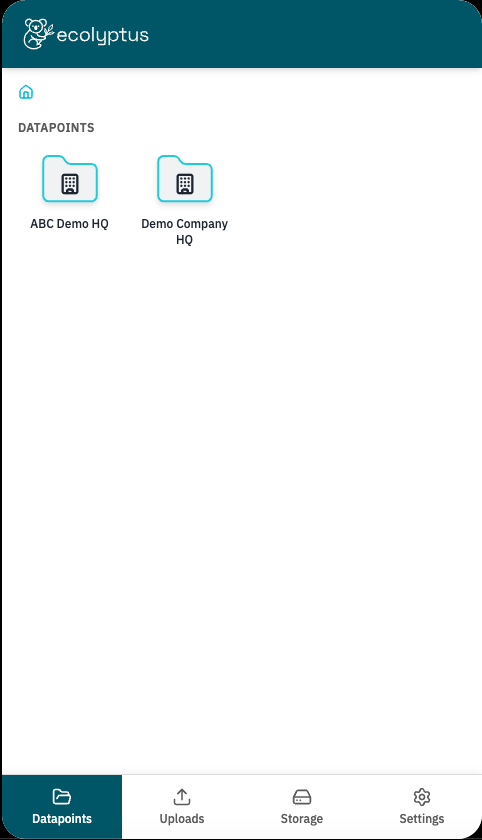
Field photos with nowhere to live
Engineers in the field take hundreds, sometimes thousands, of meter photos a year. Right now, most of those photos live in camera rolls, get sent through WhatsApp groups, or sit buried in email threads with no context attached. By the time someone needs to reference a specific meter reroute or fault six months later, the photo is impossible to find, or it's gone entirely.
- Photos scattered across personal phones with no backup
- No way to tie a photo to the specific meter it belongs to
- Context (what changed, why, when) lost the moment the WhatsApp message scrolls away
- No visibility for the office or client into what's actually happening on site
One folder per meter. Every photo, note, and file where you'd expect it.
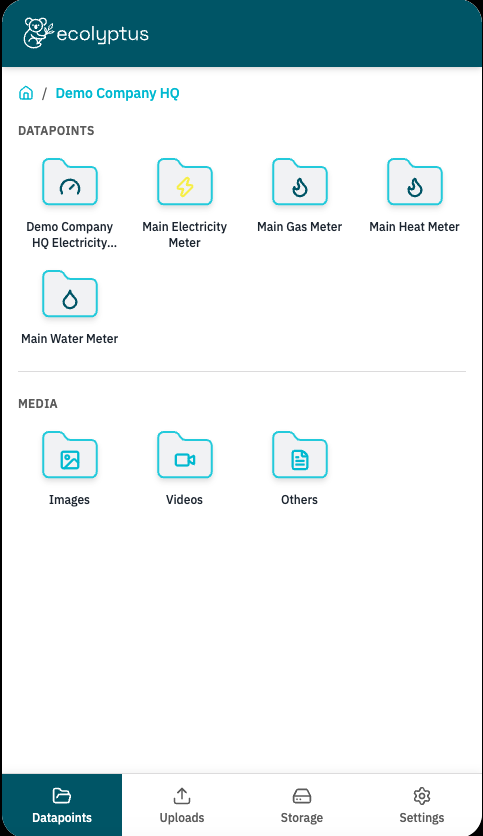
Lyptus Meter Tracker mirrors the way engineers actually think about a site: by building, then by meter. Every site has its own space, and every meter inside it — electricity, gas, heat, water — gets its own dedicated folder. Snap a photo, attach a note explaining what you're looking at, and it's filed automatically under the right meter. No more scrolling through a camera roll trying to remember which photo was which. Folders can be set up at a general site level or, for the most detail, at individual meter level, so nothing gets mixed up between assets on a busy site.
From site visit to synced record, in four steps
- 1Open the site — Navigate to the building or site you’re working on, then drill down to the specific meter, or general folder, you need.
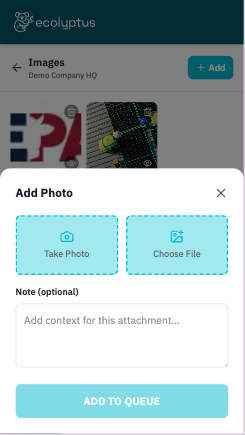
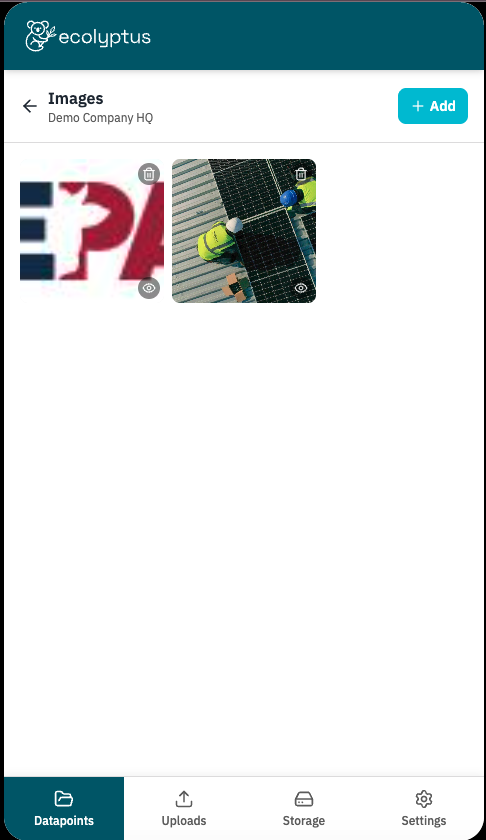
- 2Capture the moment — Take a photo directly in the app, or choose an existing file, video, or image from your device.
- 3Add context — Attach an optional note to explain what the photo shows, what changed, or what needs following up.
- 4Let it sync — No signal in the plant room? No problem. Everything is saved to your device and uploads automatically the moment you’re back on a connection.
Built for the Field
Designed around how engineers actually work on site.
Meter-level organization
Structure documentation by site, then by individual meter, so every photo lives exactly where the next person will look for it.
Notes on every upload
Attach context directly to a photo or file. No more guessing what a picture was for months after the visit.
Works without signal
Photos, videos, and files save to your device first. Once you're connected, everything queues up and uploads automatically, no manual re-sending required.
Storage you can see and manage
Check how much is stored, how many files are queued, and how many uploads are pending, all from one screen. Clear everything with a single tap when you need to start fresh.
One account, fully connected
Sign in once and stay connected to your ecolyptus dashboard, so field data flows straight through to the platform without extra steps.
Built for the people who deal with meters every day
- Installation engineers documenting new meter setups
- Energy engineers managing rerouting and fault diagnostics
- Facilities and maintenance teams tracking meter condition over time
- Contractors who need to hand off clear, dated records to the client or office
Better field data means better decisions
Every photo captured through Lyptus Meter Tracker feeds directly into your ecolyptus dashboard, connecting what happens on site with the reporting, compliance, and analysis your business relies on. No more chasing down a photo that lives on someone's personal phone. No more decisions made without the full picture, literally.